Field guide · School year
School technology checklist: what to check each term
The short answer
The technology checks a school does fit a simple calendar: accounts, devices, displays and the acceptable use policy at the start of the year; accounts, risks and backups every term; support and renewal dates at the end of each term; and training, plans, registers and the technology strategy once a year.
Every Neon+ figure on this page is as Neon+ (ES PRODUCATION SDN BHD) publishes it on neonplus.com.my; figures from other makers and sources are attributed where they appear.
Key takeaways
What goes on a school's technology calendar?
- Start of the year. New pupils' and staff accounts, devices and displays checked, and the acceptable use policy in place and shared.
- Every term. Review accounts, revisit the cyber risk assessment and test that backups restore.
- End of every term. Check which devices and systems have lost, or are about to lose, support.
- Once a year. Cyber training, the continuity and recovery plans, the registers before the budget, and the technology strategy.
- Support dates on the register. The UK schools standards ask for each device's operating system end of support date to be recorded in the asset register.
Method and scope Published by ES Producation Groups Berhad. The calendar points are drawn from the UK Department for Education's standards for schools and colleges in England, read as general good practice; they are not Malaysian law or policy. What each group company offers is stated only as the group's brand document and company profile describe it, with no price, rate, tenure or product specification given here. Reviewed 7 Nov 2026.
On this page10
What is on a school technology checklist, and when?
During a school year pupils join and leave, devices age and support contracts run out, so the same few checks come round at fixed points. The table sets out what to check, when, and who the UK schools standards give each check to. A school on semesters can run the every-term checks once a semester. This is one of the group's school technology guides.
| When | Check | Who, in the UK standards |
|---|---|---|
| Start of the school year | Accounts for new pupils and staff; the acceptable use policy in place and shared; devices and displays switched on and tested (our addition) | The digital lead coordinates the policy; IT support sets up accounts |
| Every term | Review accounts; revisit the cyber risk assessment; test and log backups | Accounts: reviewed with the business professionals or the finance team |
| End of every term | Devices and systems that are, or are about to become, unsupported | IT support with the business professionals or the finance team, who tell the senior leadership team |
| Once a year | Cyber training; continuity and recovery plans; registers; the technology strategy | The senior leadership team's digital lead |
In a Malaysian school, the business professionals or finance team are usually the school office or whoever holds the budget. Each row is explained below, with the UK schools standard it comes from.
What should be ready at the start of the school year?
At the start of the year, every new pupil and member of staff should have the accounts they need, every device and display should work, and everyone should have the rules for using school technology. Accounts for people who left over the break should already be closed, so the first week is spent teaching rather than fixing logins.
The rules go out first. The UK Department for Education's cyber security standards for schools and colleges expect a school to have an acceptable use policy in place already; where it does not, the policy “should be updated towards the end of the academic year and shared with students, staff, and any cover or temporary staff at the beginning of the new academic year.” Where a school uses a student contract, the same standards say it should include the relevant parts of that policy, and that this “will need to be carried out at the beginning of every academic year.”
Accounts follow the people. The cyber security standards list “creating accounts only when required” and “disabling accounts as soon as someone leaves their role”. The start of the year is when the most accounts change at once, so it is the week to check them.
Devices are recorded when they are bought. The DfE laptops, desktops and tablets standard asks schools to tag devices “with labels or tags to keep track of them when you buy them and add them in an asset register”.
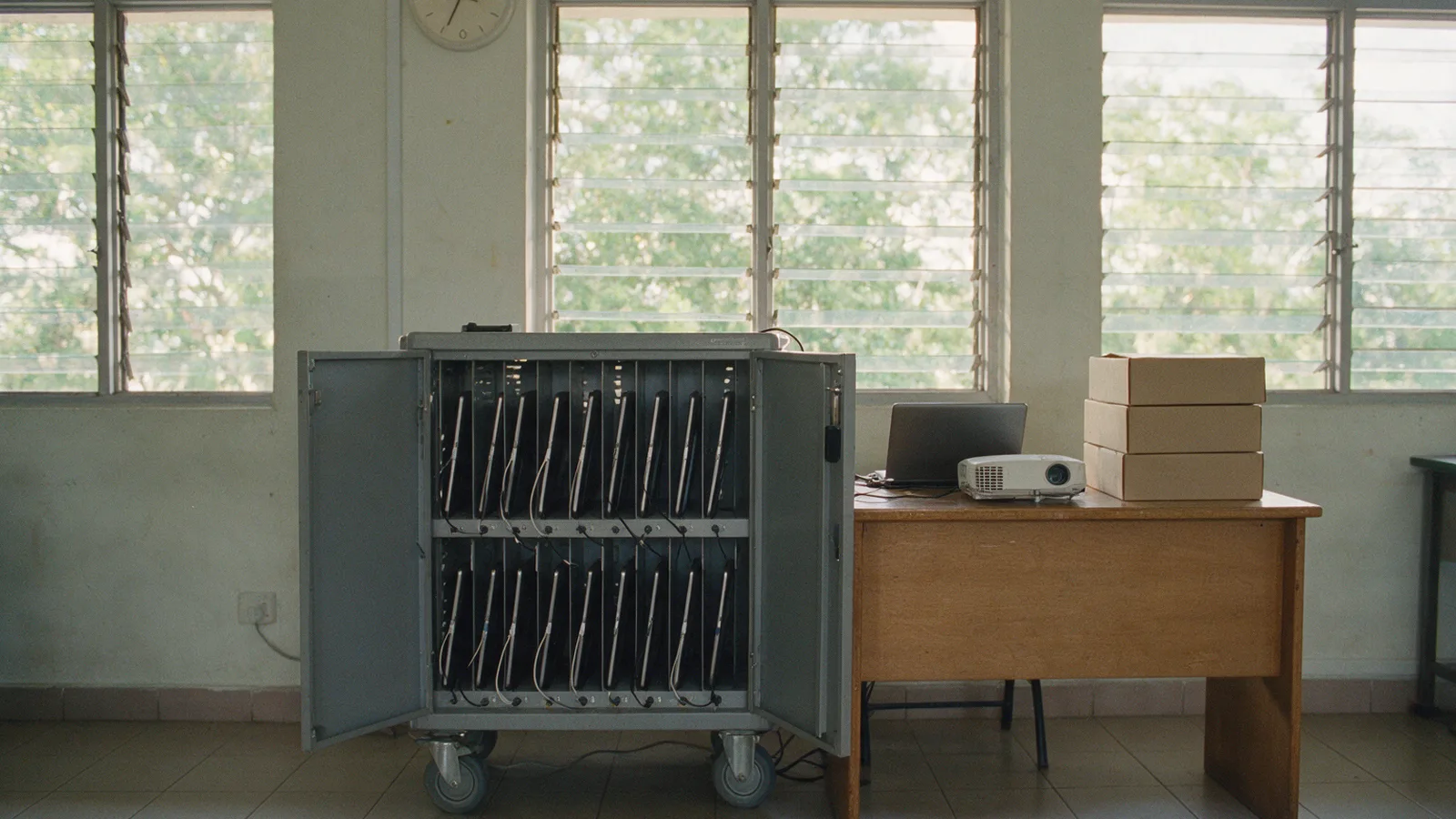
Our practical additions for the first week: switch on and test every classroom projector or display and its cables; update devices that sat unused over the break; check the charging trolleys and the spare devices; and note who holds each device when it is handed out, so the end of the year can count them back in.
What school technology checks happen every term?
Every term, a school should review who has access to what, revisit its cyber risk assessment and test that its backups can actually be restored. The UK schools cyber security standards ask for all three each term, because they catch what changed during the term, such as a leaver who kept access, before it becomes a problem.
Accounts, termly. The UK schools cyber security standards ask schools to “review accounts with your business professionals or the finance team every term to identify changes that might have been missed”, including changing access levels and suspending or deleting accounts no longer in use.
Risks, termly. The cyber security standards ask schools to “Conduct a cyber risk assessment annually and review every term”.
Backups, termly. They also ask schools to “test and log your backups termly or if there is a significant change”, including the ability to recover and restore. The questions to ask a learning platform supplier about its own backups are in Easy Edu's guide to school platform backups and uptime.
What should a school look at at the end of every term?
At the end of every term, a school should check which devices, software and systems have become unsupported or are about to, and tell the people who plan the budget, so a replacement reaches the next budget before the old device fails.
The UK schools cyber security standards say: “At the end of every term, IT support and the business professionals or the finance team should review the contracts register and inform the SLT when digital technology:” has become unsupported, or is due to become unsupported. The SLT is the school's senior leadership team. They add that the end of support dates for each device's operating system should be recorded in the asset register.
Our practical advice: the end of term is also the time to count devices back in, note faults and book repairs, so the next term starts with everything working.
What should a school renew once a year?
Once a year, a school should repeat its cyber training, review and test its continuity and recovery plans, review its registers before the budget is set, and revisit its technology strategy. These are the checks that keep the whole plan current, not just the devices.
Training. The UK schools cyber security standards say cyber training “should be given at least annually”.
Plans. The DfE digital leadership and governance standard says continuity and disaster recovery plans “need to be reviewed and updated annually or when a significant change occurs”, and that the disaster recovery plan “should be tested annually (at a minimum)”.
Registers and strategy. The same standard says schools should already be “updating your registers every time something changes”, and that the digital lead should review them “ahead of your next financial planning cycle”. It asks for “a minimum 2-year strategy” covering what might need to be refreshed or replaced, revisited and reviewed “annually (at a minimum)”. How to plan the money across hardware, software and support is in the group's guide to planning a school technology budget.
How long should school devices stay supported?
A school device should stay supported with security updates for as long as the school plans to use it, so the checklist should carry each device's end of support date.
The UK schools cyber security standards say: “The end of support dates for each device’s operating system should be recorded in the asset register”, and the end-of-term review above is where they are read.
Our practical advice: when the end of support dates are on the asset register, the end-of-term check in the section above becomes a two-minute read rather than a search. Ask any supplier how long a device will get security updates before buying it.
Which group company covers which part of the calendar?
Within ES Producation Groups, the devices, displays, learning platform and payment on a school's calendar sit with different companies, so a school can ask the group about several parts or only the part it needs. Each company's own site holds the detail where it has one; ES Producation Services is reached through the group contact.
| Company | What it covers | Where to read more |
|---|---|---|
| Citzen (CITZEN COMPUTER SDN. BHD.) | Lightweight tablets and laptops | citzen.com.my |
| Easy Edu (EASY EDU SDN BHD) | Digital learning platforms and education apps | easyedu.com.my |
| Neon+ (ES PRODUCATION SDN BHD) | Smart projectors for education | neonplus.com.my |
| ES Producation Services (ES PRODUCATION SERVICES SDN. BHD.) | Education financing and payment solutions | The group contact below |
What to line up before new devices arrive is in the group's school device roll-out checklist.
What should a school send when planning the year?
Send what the school already has (devices, displays and the learning platform), what is due for replacement or renewal this year, and whether a payment option is wanted. With that, the group can put the school in touch with the right company for each part a group company covers.
- The devices and displays in use, roughly how old they are, and any that have lost support.
- The learning platform, if any, and how accounts are set up today.
- What is due for replacement or renewal this school year.
- Whether a payment option is wanted.
WhatsApp the group on +60 12-565 2091 or email info@neonplus.com.my, and we will put you in touch with the right company. Every school technology guide from the group is listed on the insights page.
Quick answers
What else do schools ask about planning the school year's technology?
How often should a school review user accounts?
Every term. The UK schools cyber security standards ask schools to review accounts every term with the business professionals or finance team, to catch changes that might have been missed, change access levels and disable an account as soon as someone leaves their role.
How should a school track when devices lose support?
Record each device's operating system end of support date in the asset register, as the UK schools cyber security standards ask, and read it at the end of every term, when IT support and the finance team tell the senior leadership team what has lost, or will lose, support.
When should the acceptable use policy be shared?
The UK schools cyber security standards expect a school to have one in place already. Where it does not, they say it should be updated towards the end of the academic year and shared with students, staff and any cover or temporary staff at the beginning of the new year.
Can one group cover the devices, displays, platform and payment?
Yes, in parts. Within ES Producation Groups, Citzen covers lightweight tablets and laptops, Easy Edu digital learning platforms and education apps, Neon+ smart projectors for education, and ES Producation Services education financing and payment solutions. A school can ask the group about several parts or only one, through one contact.
Sources
Where do the facts on this page come from?
- UK Department for Education, “Meeting digital and technology standards in schools and colleges: Cyber security standards” (updated 16 September 2026): the acceptable use policy, accounts, the termly risk review, termly backup tests, the end-of-term support check and annual training. Written for schools and colleges in England; Crown copyright, Open Government Licence v3.0.
- UK Department for Education, “Meeting digital and technology standards in schools and colleges: Laptops, desktops and tablets” (updated 16 September 2026): asset tags.
- UK Department for Education, “Meeting digital and technology standards in schools and colleges: Digital leadership and governance core standard” (updated 16 September 2026): continuity and recovery plans, registers and the strategy.
- The group's brand document and company profile: what each group company covers.
The UK guidance describes good practice for schools and colleges in England; it is not Malaysian law or policy and does not describe the group or its companies.
Contact
Talk to the group.
For projector questions, models and orders, Neon+’s own site is neonplus.com.my. Schools and institutions, educators, partners and suppliers: one contact for the whole group, +60 12-565 2091. The same number reaches Neon+ for projector questions.
Contact details
- Phone
- +60 12-565 2091 (also WhatsApp)
- info@neonplus.com.my
- Head office
- 46, Jalan Lang Indah A/1, Pusat Perniagaan Lang Indah, Ipoh, Perak
- Hours (Ipoh showroom)
- Monday to Friday, 9am to 5pm
Saturday, 9am to 1pm