Field guide · Board and screen
Can a classroom projector use the whiteboard as its screen?
First published by Neon+ (ES PRODUCATION SDN BHD) on espg.com.my; updated 24 Oct 2026 for the group site.
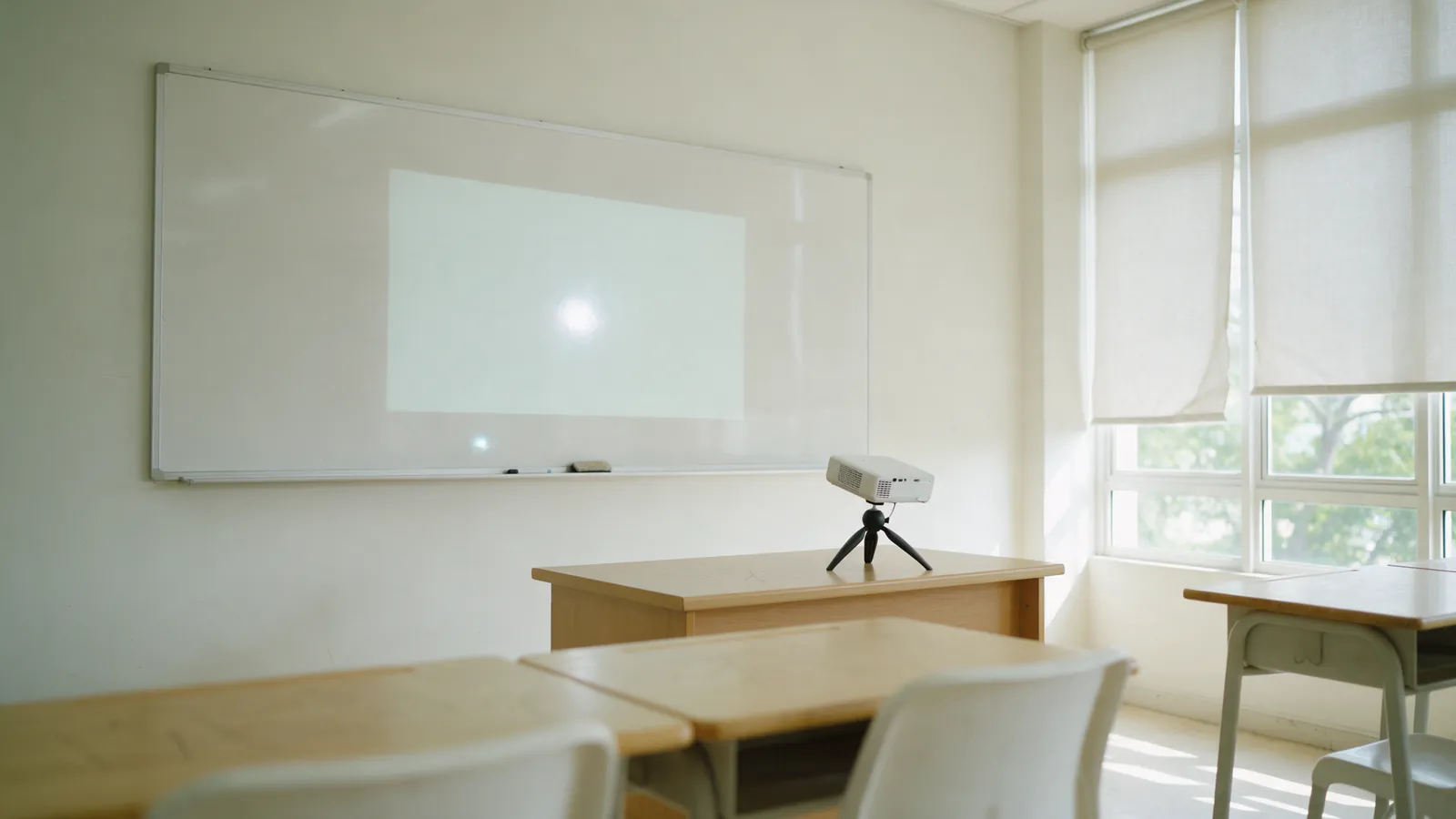
The short answer
Yes, if the board is matte or satin, and sometimes a glossy one, if moving the projector pushes the hot spot off the picture. A glossy board throws back a hot spot, a blurred reflection of the projector's lens, that moves as pupils change seats. Moving the projector or using a matte surface deals with it. Blinds fix a different problem: a faint picture in a bright room.
Every Neon+ figure on this page is as Neon+ (ES PRODUCATION SDN BHD) publishes it on neonplus.com.my; figures from other makers and sources are attributed where they appear.
Key takeaways
What decides whether the whiteboard works?
- Gloss is the main problem. A glossy board reflects a hot spot, a blurred reflection of the projector's lens, that washes out part of the picture.
- The hot spot moves with the viewer. Each seat sees the bright patch in a different place, so the teacher at the front may not see what the back row sees.
- Moving the projector moves the hot spot. A shiny surface reflects light back at the same angle it arrives, so a new projector position can push the patch off the picture.
- Blinds fix a faint picture, not a hot spot. BenQ notes that classroom lights lower the contrast of a projected image.
- Writing on the image means stepping into the beam. Kent County Council's poster says never to stare into the beam and to use a pointer where possible.
Method and scope Neon+ (ES PRODUCATION SDN BHD), the group's projector company, wrote this guide; “we” and “our” on this page mean the Neon+ team. How a whiteboard behaves as a projection surface, from Wikipedia's “Projection screen” article, a whiteboard maker's projection guidance, BenQ's classroom display guidance and a UK council's classroom safety poster, plus the Neon+ V6 published specification. The ten-minute test is Neon+'s own practical method. No figure here is a performance claim for a Neon+ model. Reviewed 24 Oct 2026.
On this page8
Why does a projector look washed out on a whiteboard?
Many classroom whiteboards are glossy, and a glossy surface behaves like a weak mirror. Part of the projector's light bounces straight back instead of spreading across the room, so one patch of the picture looks much brighter than the rest. Text inside that patch, the hot spot, is hard to read from some seats.
Wikipedia's “Projection screen” article describes the effect on projection screens: screens that are “simply semi-glossy” show “a bright ‘hot spot’ in the screen”, which is “an enlarged (and greatly blurred) reflection of the projector's lens”. The article also says “Highly reflective flat screens tend to suffer from hot spots, when part of the screen seems much more bright than the rest.” A glossy whiteboard is a highly reflective flat surface, so the same thing happens on it.
Not sure whether your board is too glossy? WhatsApp a photo of the board to Neon+ on +60 12-565 2091.
Glass boards are the hardest case. Ghent, a whiteboard maker, writes in its guide to glass projector screens that hot spots “are common when projecting images on to glassboards”.
How do you tell if your whiteboard will glare?
Project a page of plain text onto the board and walk the room. If a bright patch sits on the picture and moves as you move, the board is too glossy to use as it stands. Wikipedia's article notes that on semi-specular screens “the hot spot's location varies depending on the viewer's position in the audience”, which is why the teacher at the front can miss what the back row sees.
Check from three places: the front corner seat, the middle of the room, and the back row. Small differences in brightness are normal: Wikipedia's article says “most viewers do not notice differences as large as 30% in the image luminosity” unless they look for them. A patch that hides words is the real problem.
| What you see | What it means | What to try |
|---|---|---|
| Even picture from every seat | The surface spreads light well | Use the board as it is |
| A bright patch that moves with you | The surface is glossy | Move the projector or the image, or use a matte surface |
| Whole picture faint, no patch | Too much room light for the image size | Close the blinds or make the image smaller |
| Old marker shadows in the picture | The board needs cleaning | Clean it before projecting |
A faint picture without a patch is a room-light problem, covered in Neon+'s guide to room light, image size and projector brightness (on neonplus.com.my).
Is a whiteboard or a painted wall better for a classroom projector?
A plain, matte, light-coloured wall usually gives a more even picture than a glossy whiteboard, because a matte surface spreads light instead of reflecting it straight back. The whiteboard's advantage is that a teacher can write over the projected image. A board sold for projection, such as Ghent's satin-finish glassboard, is designed to reduce hot spots.
Wikipedia's article explains that front projection screens “work on diffusely reflecting the light projected on to them”: a matte surface scatters the light across the room. For boards, Ghent says “With a satin finish on the glassboard, the projection image will be clear and visible while the projection can become too reflective on a normal glassboard.”
Room light matters on any surface. BenQ's education blog notes that projectors “rely on low ambient light to create contrast”, and that “the bright lights of a classroom lower the contrast on a projected image”, making it “harder to read”. Ghent likewise suggests “dimming lights for the best quality and brightness of the projection”. Blinds and lights change how faint the whole picture looks, and blinds cut window light reflecting off a glossy board; neither moves the projector's own hot spot.
Choosing between a projector and a flat panel in a bright room is covered in projector or TV for a classroom.
Where should the projector sit to cut the glare?
Move the projector, or shift the image, until the bright patch falls outside the picture or off the board, and keep the image only as large as the back row needs. A shiny surface reflects light back at the same angle it arrives, so a new projector position moves the hot spot. Check again from the back row after each move.
Wikipedia's article describes reflective screens sending light back “at an angle equal and opposite to the angle of incidence”. For boards made for projection, Ghent recommends “an ultra-short throw ceiling mounted projector” and suggests “working with an AV specialist for proper projection placement to reduce the chance of hot spots even further”. That suits a fixed installation.
A portable projector on a desk or tripod is moved by hand, so a teacher can shift it between lessons. The Neon+ V6 has a published 1.2:1 throw ratio, a 39-inch frame at 1 metre, and a tripod in the box. The distance to the wall sets the image size, explained in Neon+'s guide to what a 1.2:1 throw ratio means (on neonplus.com.my). The size the back row needs is worked out in how big a classroom projector image should be.
How should a teacher write on a projected image safely?
Writing on a projected image means stepping into the beam, so keep it brief: keep your back to the projector, never look into its light, and step out again to talk. For pointing at the picture, use a stick or pointer. That is Neon+'s practical advice; Kent County Council's classroom poster sets out its own rules below.
The poster, “Safe use of interactive whiteboards” (a Word file from KELSI, Kent County Council's resource for school professionals), is UK school guidance, not a Malaysian rule. Its points apply to any projector shining on a board:
- “Never stare directly into the projector beam.”
- “Always keep your back to the beam and avoid looking into the beam when walking away from the screen.”
- “When teaching, avoid standing in front of the projector”, and “use a stick or laser pointer to avoid the need to enter the beam.”
- “Pupils are to be adequately supervised when they are asked to point out something on the screen.”
- “Use blinds where possible to reduce reflection and glare.”
The poster says to consider these points “at the time of purchase”. In practice, where the projector sits decides how often a teacher has to step into its light.
What should a school check before projecting onto its boards?
Check each room's board finish, the window light, where the projector can sit, and how far the back row is. Run the ten-minute test in each room before buying projection screens or new boards. A board that passes needs nothing; one that fails may only need the projector moved, or the blinds closed if the whole picture is faint.
Check the room before you choose a projector. Send a photo of the board, the room's width and the back-row distance, and ask the Neon+ team where a projector should sit in that room. WhatsApp Neon+ on +60 12-565 2091 · Call +60 12-565 2091 · info@neonplus.com.my.
- Is the board glossy, satin or matte? Try the walk-the-room test.
- Can the windows be shaded during lessons?
- Where can the projector stand so the hot spot falls off the picture and the teacher is rarely in the beam?
- How far away is the back row? Epson's 4/6/8 rule divides that distance by 4, 6 or 8 to give the image height.
- Is there a plain matte wall beside the board as a fallback?
The Neon+ showroom in Ipoh opens Monday to Friday 9am to 5pm and Saturday 9am to 1pm. Neon+ also has branches in Kota Kinabalu and Sibu; call ahead, as the published hours are for Ipoh. Sharing one projector between several rooms is covered in sharing one projector between classrooms.
Quick answers
What else do teachers ask about projecting onto a whiteboard?
Can I write on the whiteboard while the projector is on?
Yes, briefly. Writing on the image puts you in the beam, so keep your back to the projector, never look into its light, and step aside again to talk. Kent County Council's classroom poster suggests a stick or pointer so you do not have to enter the beam just to point.
Why is there a bright spot in the middle of the picture?
That bright spot is a hot spot: a blurred reflection of the projector's lens on a glossy surface, and it sits in a different place for each seat. Move the projector or the image until the spot falls off the picture, or project onto a matte surface instead.
Is a glass board good for projection?
An ordinary glass board usually is not. Ghent, a whiteboard maker, says hot spots are common when projecting onto glassboards, and that a normal glassboard can become too reflective where its satin-finish projection board stays clear.
Do we need to buy a projection screen?
Not always. Run the walk-the-room test first and try moving the projector. If the board still glares from several seats, a plain matte wall usually gives a more even picture without buying anything; a projection screen is the next step.
Sources
Where do the facts on this page come from?
- Wikipedia, “Projection screen”: how front projection screens diffuse light, what a hot spot is, why semi-glossy and highly reflective flat screens show one, that its position changes with the viewer, the reflection angle, and that most viewers do not notice brightness differences up to 30%. Written about projection screens; the whiteboard reading is ours.
- Ghent, “Glass Projector Screens and Projector Placement” (21 July 2020): hot spots on glassboards, the satin finish, dimming the lights, ultra-short throw ceiling projectors and AV placement advice. A whiteboard maker's own guidance.
- BenQ, “Projector vs. Interactive Display”: low ambient light and classroom lighting lowering contrast.
- Kent County Council (KELSI), “Safe use of interactive whiteboards” poster (Word file): the beam safety rules and blinds. UK school guidance.
- Epson Europe, “Display Size Matters”: the 4/6/8 rule for image height and viewing distance.
- Neon+ V6 product page: the 1.2:1 throw ratio, the 39-inch frame at 1 metre and the tripod in the box. V6 only.
The ten-minute test table is Neon+'s practical reading, not a measurement. The Wikipedia, Ghent, BenQ, KELSI and Epson material explains the category and proves nothing about a Neon+ model.
Contact
Talk to the group.
For projector questions, models and orders, Neon+’s own site is neonplus.com.my. Schools and institutions, educators, partners and suppliers: one contact for the whole group, +60 12-565 2091. The same number reaches Neon+ for projector questions.
Contact details
- Phone
- +60 12-565 2091 (also WhatsApp)
- info@neonplus.com.my
- Head office
- 46, Jalan Lang Indah A/1, Pusat Perniagaan Lang Indah, Ipoh, Perak
- Hours (Ipoh showroom)
- Monday to Friday, 9am to 5pm
Saturday, 9am to 1pm